This post contains affiliate links. If you buy through them I may earn a commission, at no extra cost to you.
Higgsfield is worth it if you want Kling, Seedance, Nano Banana and a handful of other AI video and image models under one login and one credit balance. It is poor value if you only ever use one model, because you pay for the bundle and video credits go faster than the plan page suggests.
I tested it through the Claude connector on my Plus plan. One image and one 5-second clip is a small test, so treat this as a first look and not a benchmark. Prices, credit costs and plan details below are what my account showed on October 14, 2026. Everything else is sourced at the bottom. This Higgsfield AI review covers the cost, the credit math, the main features and the alternatives.

Key takeaways
- Higgsfield offers model variety: Kling 3.0, Seedance 2.0, Nano Banana and more behind one login. Model selection is the main reason to choose Higgsfield.
- Premium models consume credits faster than entry-level models, so credit volume decides what a plan is really worth.
- My test of one image and one 5-second clip cost 10.25 credits. The video was almost all of that.
- Cinema Studio gives you camera control and camera movement presets, with a learning curve of two to three hours according to Hack'celeration.
- The Soul ID character consistency system aims for consistent results across clips, and reviewers say the AI influencer tools have limited variety.
- Sources disagree on the free tier, so check it on the pricing page before you sign up.
What Higgsfield AI is
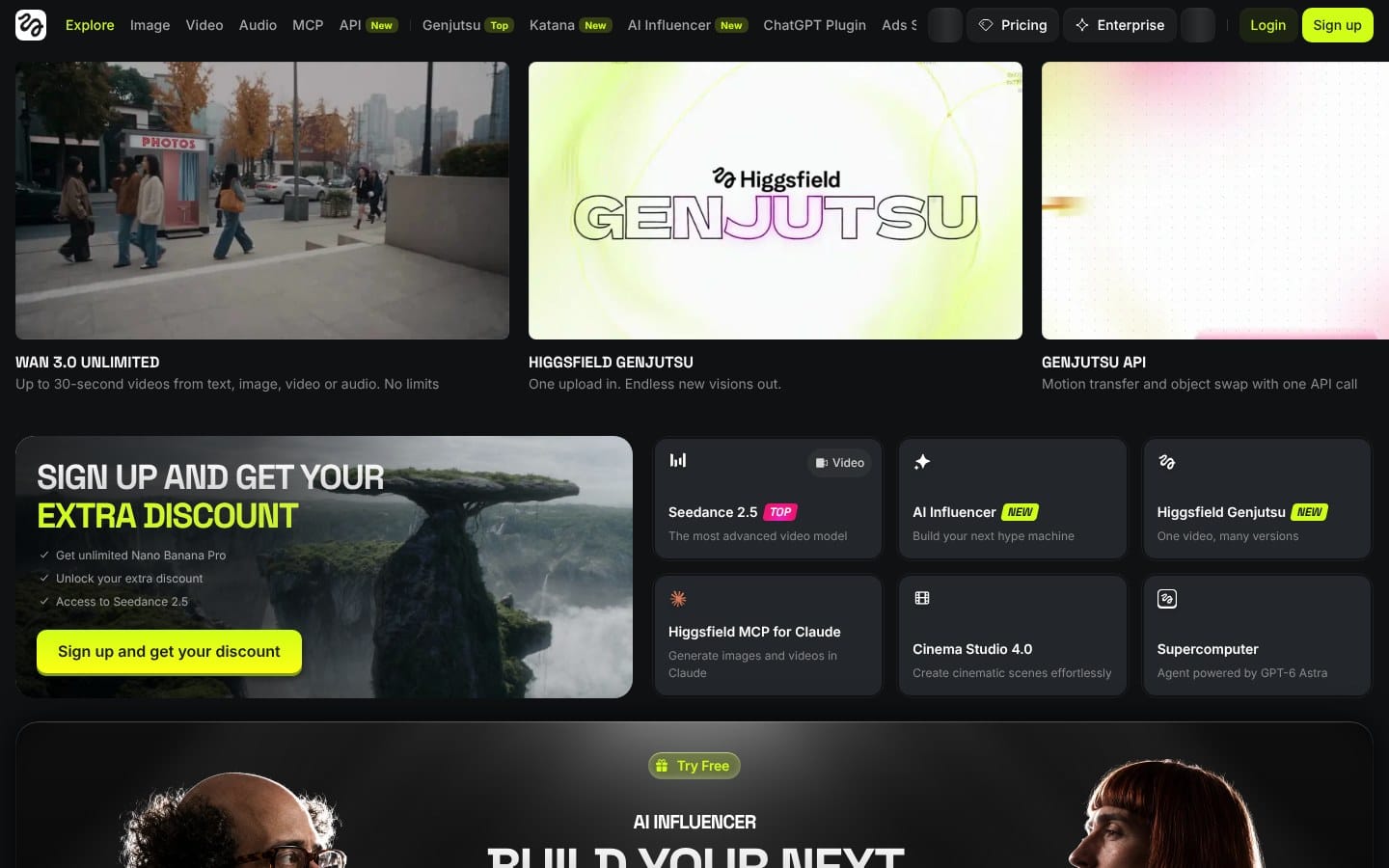
Higgsfield AI is a web platform for AI image and video generation. Instead of one in-house model it sells access to many: Kling 3.0, Seedance 2.0, Wan 3.0, Nano Banana, Seedream, FLUX and GPT Image, plus its own Soul models for portraits and consistent characters. It also has Cinema Studio for camera-controlled video, Marketing Studio for product ads, and tools for audio and 3D.

You pay in credits. Every model has its own cost per generation, so the model you pick decides how far a plan goes.
That makes it a hub more than a single product. Other AI video tools, such as Runway and Luma, are built around their own model family. Higgsfield lets you switch between multiple models on the same prompt, which is the main reason to look at it.
What I tested
Claude has a Higgsfield connector, so I let it run the generations. That is the first useful thing to know: you can run Higgsfield from a chat window, ask for the cost before anything is spent and pull the files back out.
Test 1: an image
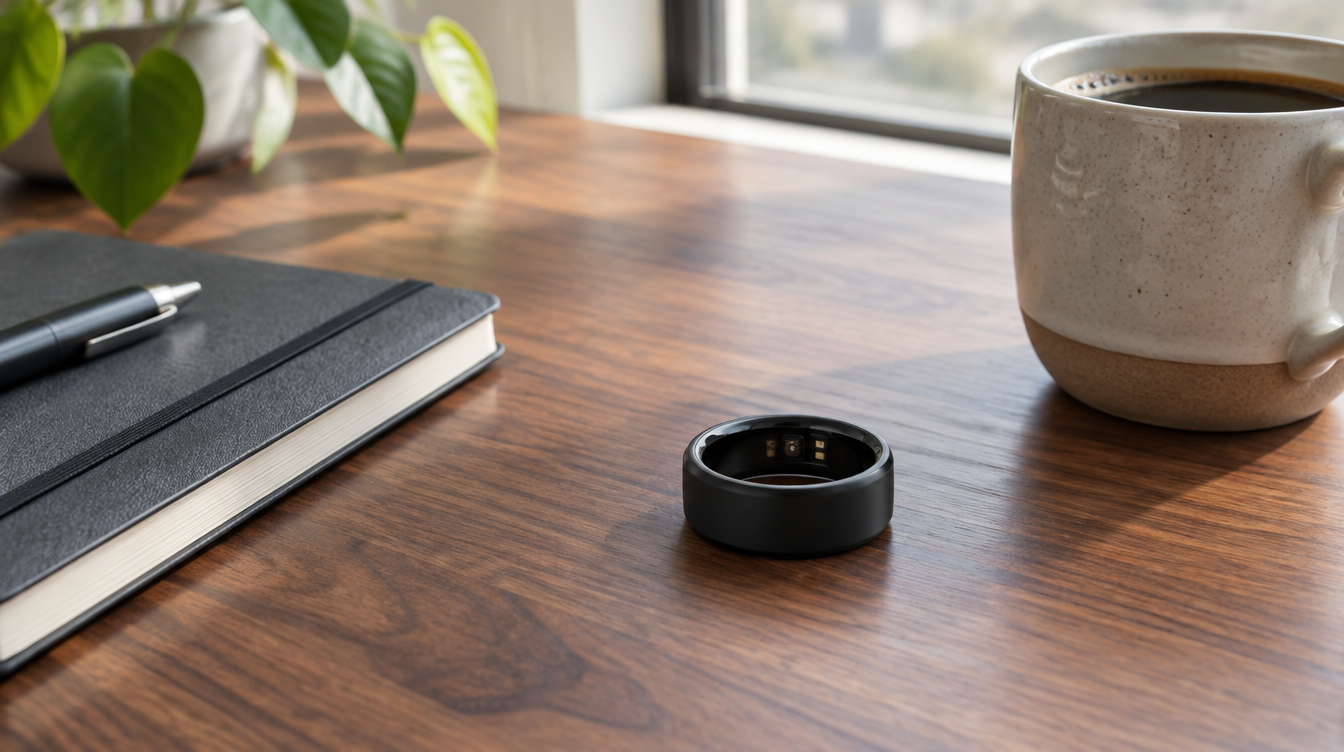
I asked GPT Image 2.5 for a matte black smart ring on a walnut desk next to a notebook and a coffee cup, with soft morning light. It cost 0.25 credits and came back in under half a minute at 1344 x 752 pixels. The wood grain and light look like a real photo, and the sensors on the inside of the ring are visible. The mug is cropped at the right edge, which a second run would fix. I would use it as a blog header.
Test 2: a video
I asked Kling 3.0 for a slow push-in on a steaming coffee cup by a window. One 5-second clip at 720p cost 10 credits and took about a minute and a half to render. It came out at 1280 x 720, 24 frames per second, with an audio track. For clip length, I only tested 5 seconds, so check each model's maximum before you plan a longer shot. In the frame below the steam and the window light look realistic, and the generated video kept the same look through the whole clip. Press play on the clip to judge the motion yourself.
The whole test cost 10.25 credits.
The video number matters. Kling 3.0 at 10 credits per 5-second clip means a 1,000-credit Plus plan gives you about 100 clips if you use nothing else. Higgsfield's plan page says about 200 Kling 3.0 videos on the same plan, which probably assumes a cheaper setting. Plan around the cost you see before you generate, not the headline number.
Higgsfield AI features
Higgsfield AI is a bundle of tools around the models, with video generation as the main product. These are the ones that came up most in my research. I did not test them myself, so the details come from reviews and Higgsfield's own connector, and I say which.
Cinema Studio and camera control
Camera movement is the part reviewers talk about most, and Cinema Studio is the camera-control side of Higgsfield AI. It gives you more creative control over a shot than a plain text prompt does. Reviews describe presets for dolly, crane and orbit moves, plus pan, tilt, zoom and tracking controls, and Creatify counts more than 70 camera presets. There is a learning curve: Hack'celeration reports that Cinema Studio took two to three hours to learn and that its first three attempts had awkward motion.

Image to video
Higgsfield AI supports both text-to-video and image-to-video. You can start from an image you made or uploaded and animate it with a model such as Kling 3.0 or Seedance 2.0.
Character consistency
Soul ID trains a reusable character from reference photos, so the same face shows up across images and clips. Higgsfield's connector describes training with 5 to 20 photos in about 10 minutes. Reviewers list this as a strength, and they say the UGC and AI influencer tools have limited avatar variety.
Lip sync and audio
Lipsync Studio animates a face from an audio script. Hack'celeration timed a 30-second script at about four minutes. Audio models such as Eleven v4 and Seed Audio also appear in the model list on my account.

Marketing Studio
Marketing Studio generates product ads and UGC-style videos. Creatify says it can build product videos from a URL in styles such as UGC, CGI commercial and cinematic narrative. Creatify sells a competing ad tool, so test Marketing Studio yourself before you rely on it.
Video quality and cinematic realism
Cinematic realism is what most reviewers praise. Hack'celeration said Sora 2 gave the best renders in its tests, especially cinematic scenes with complex lighting, and it cites G2 reviewers who praise the cinematic output and the camera-motion experiments. The same review also logged three Sora 2 runs with wrong framing or color shifts, so plan on regenerating a few clips. My own Kling 3.0 clip held a steady look through the whole shot, and I did not test human motion or character movement beyond that.
Video editing and upscaling
Higgsfield is a generator first and an editor second. Hack'celeration calls its timeline video editing basic and found no batch processing in its tests. It also tested Video Upscale, which took 720p clips to a usable 4K, at a cost of roughly 20 to 30 extra credits per video. If you need heavy video editing, plan on a separate tool for the final cut.
Generation speed
Render times vary a lot by model. My Kling 3.0 clip took about a minute and a half. Hack'celeration measured 6 to 10 minutes for Sora 2 and 8 to 12 minutes for Veo 3.1, with peak hours adding 30 to 40 percent. The same review noted a first video in about five minutes after sign-up, so getting started is quick even when single clips are not.
Who is behind Higgsfield AI
Higgsfield AI was founded in 2023 by Alex Mashrabov and Erzat Dulat and is based in San Francisco. Mashrabov previously led generative AI at Snap. The browser-based video platform launched in March 2025, and in January 2026 the company raised an $80 million extension to its Series A at a valuation above $1.3 billion, according to Wikipedia. Reuters reports that social media marketers make up most of its users, which fits the focus on short-form video and ads. Among AI video tools it is a young company, so expect plans and features to keep shifting.
Higgsfield AI pricing
Plans change often and third-party reviews list different tiers, so check the pricing page before you buy. These are the plans my account showed on October 14, 2026.
| Plan | Price | Credits per month | Good to know |
|---|---|---|---|
| Plus | $39 per month, billed annually | 1,000 | Up to 6 videos and 8 images in parallel. All models, including Seedance 2.0. |
| Ultra | $129 monthly, or $99 per month billed annually | 3,000 | Up to 8 videos in parallel. Lowest cost per credit. |
If you run out, credit packs ran from about $29 for 500 credits to about $211 for 4,000 on my account. Unused pack credits expire after 90 days. Higgsfield also runs promotions with unlimited use of selected image models, so look at what is on offer on the day you buy.
Is there a Higgsfield AI free tier?
The sources disagree. Creatify lists a free plan with 10 credits per day on basic models, and Hack'celeration says there is no free plan. My account only listed Plus and Ultra when I checked. Look at the pricing page on the day you sign up.
My honest experience with Higgsfield
The test above is the real part: one image, one 5-second clip and 10.25 credits spent, all run from a chat window. That is a small sample, so I am not going to pretend it is a month of daily use.
What I liked is how little friction there was. I asked for the cost first, saw it, and then generated. The image was good enough to use as a blog header without a second try.
What I would use it for: header images for this blog, and quick concept images for Anew Sleep ads, where speed matters more than a perfect result. I would not use it for anything that needs exact product likeness, because the mug in my test image was cropped and small details are a gamble.
What surprised me is the video math. At 10 credits for a 5-second clip, the Plus plan covers about 100 clips, not the 200 the plan page implies. Credits are the real price, so check the cost before every run.
How to use Higgsfield with Claude
Claude has a Higgsfield connector. The workflow I used: ask Claude for the cost of a generation first, approve it, let it generate, then pull the finished file back out. Images cost cents of a credit and video costs credits per clip, so the preview step is worth keeping. It works well while you are writing a post, because you can ask for a header image without leaving the chat.
Higgsfield AI pros and cons
What I liked:
- Many models in one place. You can try the same prompt on different models without a new account for each.
- You can see the cost before you generate, and images are cheap. My test image cost 0.25 credits.
- The image quality from GPT Image 2.5 was strong enough to use as a blog header.
- Videos rendered in about a minute and a half.
- It works from Claude through the connector, which suits a workflow where you generate assets while writing.
What I did not like:
- Video credits go fast. 10 credits for 5 seconds means about 100 clips a month on Plus, half of what the plan page implies.
- Reviewers report slow support. Hack'celeration saw 36 and 48 hour email replies, though it also sells Higgsfield services. Creatify, a competitor, cites a 3.2 out of 5 Trustpilot score and complaints about hidden caps. Treat both as one-sided sources.
- Plans, promotions and credit math shift often, which makes it hard to compare with a fixed price.
- Pack credits expire after 90 days.
Higgsfield AI alternatives
If you only need one video model, going direct is often cheaper.
- Runway starts at $15 per month, or $12 billed annually, for 625 credits. It builds its own models and has video editing tools around them. This is the closest alternative if you edit inside the tool.
- Luma has a Plus plan at $30 per month, or $25 billed yearly, with 10,000 credits.
- Kling AI sells its own models directly, including the Kling 3.0 family you can also reach through Higgsfield. Compare its own pricing with the 10 credits per clip I measured.
- Freepik is listed from about $15 per month in a third-party roundup, as a canvas for images, video and upscaling.
On Higgsfield vs Runway: pick Runway if one model family and built-in editing fit your work. Choose Higgsfield if model selection matters and you want to compare several models on the same prompt.
Compared with most competitors, Higgsfield behaves like a larger creative suite: image generators, video models, audio and 3D in one workspace. Other tools are narrower, which can be cheaper if you only need one thing. Higgsfield delivers the most when you want model variety and are happy to pay for credit volume. Promotions sometimes offer unlimited access to selected image models, but the premium models always use credits.
Who should buy Higgsfield
Buy it if you are one of the social media creators or small ad teams who make images or video every week, you want to test across models, and you would rather manage one balance than five subscriptions. Skip it if you generate a handful of clips a month, or if you need fast human support.
I would start on Plus and watch the credit balance for a month before moving to the higher tier. Ultra costs more per month but gives you more credits per dollar. It keeps its spot on My techstack. If you want to try it, here is the link.
Higgsfield AI FAQ
How many credits does a Higgsfield AI video cost?
A 5-second Kling 3.0 clip at 720p cost 10 credits on my account. Other models cost more. Third-party reviews report 40 to 70 credits per generation for premium video models, so check the cost before every run.
Is Higgsfield AI worth it?
It is worth it if you make images and video every week and want several models under one balance. It is poor value if you only use one model or generate a few clips a month.
Can I use Higgsfield AI from Claude?
Yes. Claude has a Higgsfield connector, and that is how I ran the test in this review. It can show the credit cost before it generates anything.
Is Higgsfield AI legit?
Yes. It is a working product. I ran an image and a video on a paid Plus plan and got files back. Reviews are mixed on support and credit limits, and Creatify, a competitor, cites a 3.2 out of 5 Trustpilot score, so treat that number as one-sided.
Is Higgsfield AI good for beginners?
Image generation is simple. Cinema Studio and character tools take longer. Hack'celeration reported two to three hours to learn Cinema Studio.
Which Higgsfield AI plan should I choose?
Start on Plus and watch the credit balance for a month. Move to the higher tier only if you keep running out, because Ultra gives you more credits per dollar.
Is Higgsfield AI better than Runway?
It depends on the job. Higgsfield gives you model selection across several AI video tools, while Runway builds its own models and editing tools. Pick Higgsfield if you want to compare models on the same prompt.
Sources
- Higgsfield - the product, plans and model list (my account, October 14, 2026)
- Runway pricing
- Luma pricing
- Creatify: Higgsfield AI review (2026)
- Hack'celeration: Higgsfield review (2026)
- Wikipedia: Higgsfield AI - founders, launch date and funding
- Hack'celeration: Higgsfield alternatives