

Notion AI is built directly into your Notion workspace and can help with writing, summarizing, database management, and answering questions about your own pages. This guide walks through every major Notion AI feature in 2026 - what it does, how to access it, and when to actually use it.
What Is Notion AI?
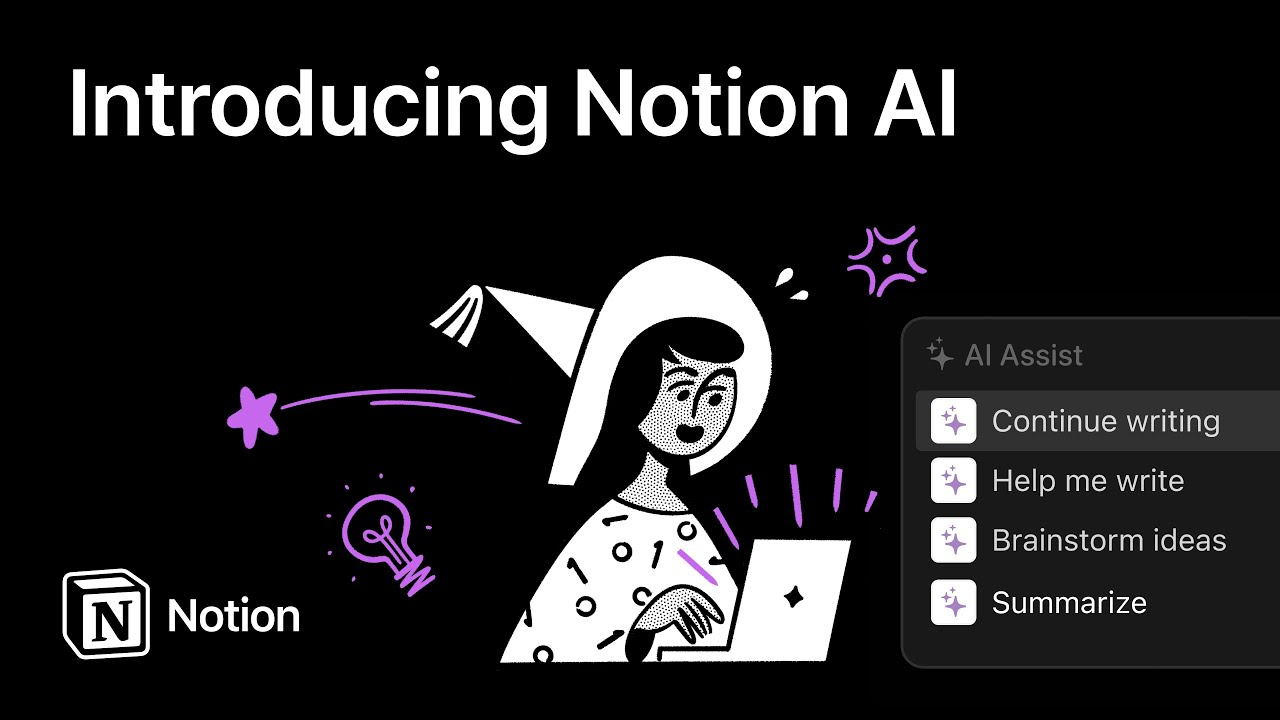
Notion AI is an AI layer built into Notion that adds writing assistance, content summarization, database intelligence, and workspace-wide Q&A to the standard Notion experience. It launched in 2023 and has expanded significantly through 2024 and 2025 with new features including AI Autofill, Custom Agents, and improved workspace search.
Notion AI costs $8/month per member as an add-on to any Notion plan. Business and Enterprise plans include Basic Autofill without consuming AI credits. All other AI features use credits from your monthly AI credit balance.
How to Access Notion AI
There are several ways to invoke Notion AI within Notion:
- AI sidebar: Click the sparkle/AI icon in the left sidebar to open the AI chat panel for Q&A and writing assistance
- Inline on a page: Press the spacebar at the beginning of an empty line to open AI write/edit options
- Text selection: Select any text, then right-click (or click the AI icon) to see AI actions like summarize, rewrite, translate, and simplify
- Database property: Hover over a database property and select 'AI Autofill' to auto-populate that column
Feature 1: Notion AI Writing Assistant
The most basic Notion AI feature lets you generate, edit, and improve text inline on any page.
Generate new content: Press Space on an empty line and type a prompt like 'Write an agenda for a product review meeting' or 'Draft a job description for a senior engineer.' Notion generates the content directly in your page.
Improve existing text: Select any block of text and choose from AI options: Fix spelling & grammar, Make shorter, Make longer, Simplify language, Change tone (professional, casual, etc.), Translate to another language.
Continue writing: If you've written a paragraph and want to continue in the same style, select the text and choose 'Continue writing.' Notion AI extends it.
Practical use case: you've written rough meeting notes and want to clean them up. Select all, choose 'Fix spelling & grammar' or 'Improve writing,' and Notion formats it into clean prose in seconds.
Feature 2: Summarize
AI Summary automatically creates a summary of any database page. This is most useful for:
- Meeting notes: summarize a long meeting page to a 3-sentence action brief
- Research documents: get the key points from a long article pasted into Notion
- Project update pages: quickly read the status of a project without opening the full page
To use it: open any page, click the AI icon at the top, and choose 'Summarize.' The summary appears in a floating panel. You can also add a dedicated Summary property to a database and set it to auto-generate summaries of all entries.
Feature 3: Notion AI Q&A
Notion Q&A is one of the most powerful Notion AI features. It lets you ask natural language questions about your entire workspace and get answers with citations to the specific pages.
Examples of what you can ask:
- 'What were the key decisions made in last month's product review?'
- 'What's the status of the redesign project?'
- 'What did we agree on pricing for the enterprise tier?'
- 'List all tasks assigned to me that are overdue'
Notion Q&A scans your pages, databases, and linked documents to synthesize an answer, then cites the source pages so you can verify. This is especially powerful in team workspaces where important decisions are scattered across hundreds of meeting notes and project docs.
How to use it: click the AI icon in the sidebar, type your question in the chat interface. You can also use slash commands (/ask) on any page.
Feature 4: AI Autofill for Databases
AI Autofill automatically populates database properties using AI. This is the feature most likely to save hours of manual work if you have structured data in Notion.
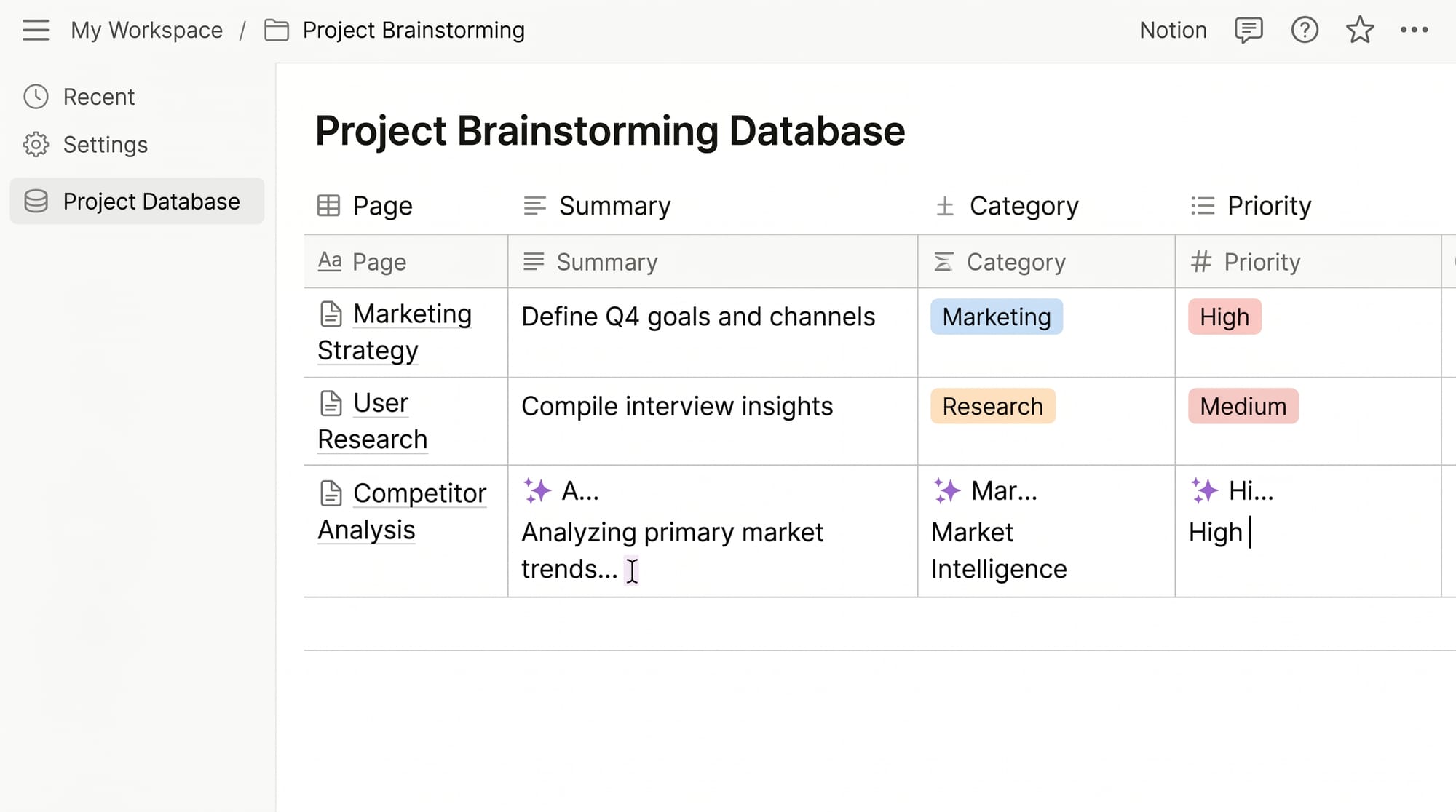
Basic Autofill: Included in Business and Enterprise plans, doesn't use AI credits. Best for simple fills: summary, tagging by category, extracting a date mentioned in a page, or translating a field. To set up: hover over a database property → click the property name → select 'AI Autofill' → choose Basic.
Custom Agent Autofill: Uses AI credits. Write specific instructions for complex multi-step fills. Example: 'Summarize the page in 2 sentences. If the page mentions a deadline, extract it into the Due Date property. Tag the entry as High Priority if it mentions budget over $10,000.'
Practical examples of Autofill:
- CRM database: auto-generate a 'Key Insights' property summarizing each sales call page
- Content calendar: auto-tag articles by topic category based on page content
- Bug tracker: auto-assign priority based on the severity description in each bug report
- Meeting notes: auto-extract action items into a separate 'Action Items' property
Feature 5: AI in Notion Databases - Smart Filters and Search
Beyond Autofill, Notion AI integrates with database search and filtering. You can use natural language to describe what you're looking for ('show me all items marked urgent that haven't been updated this week') and Notion AI translates it into database filters.
Workspace search has also been enhanced with AI: search now understands intent rather than just keywords, so 'find the doc about the rebrand budget' works even if the actual page doesn't contain those exact words.
Notion AI Pricing in 2026
| Plan | AI Add-on Cost | AI Credits | Basic Autofill Included? |
|---|---|---|---|
| Free | $8/member/month | Limited monthly credits | No |
| Plus ($10/mo) | $8/member/month add-on | Monthly credit allowance | No |
| Business ($15/mo) | $8/member/month add-on | Higher monthly credits | Yes |
| Enterprise | Custom pricing | Flexible | Yes |
Is Notion AI Worth It?
For individual users who primarily use Notion for notes and writing, Notion AI's $8/month is justified if you regularly need to polish, summarize, or generate content. The writing assistant alone saves meaningful time for content-heavy workflows.
For teams using Notion as a company wiki or project management system, Q&A and AI Autofill are the high-value features. The ability to query hundreds of docs in natural language and auto-populate database properties from page content scales with team size. For teams of 5+, it's likely to pay for itself.
The main limitation: Notion AI works within Notion only. It has no awareness of your email, calendar, or other tools unless you've imported that content into Notion. For cross-tool AI workflows, tools like Cowork (which connects to Slack, Gmail, Notion, and more simultaneously) cover a broader surface area.
Notion AI vs ChatGPT: When to Use Which
Use Notion AI when you want to work with content that already lives in Notion - polish a page, summarize a doc, answer a question based on your workspace, or auto-fill a database. It operates in context.
Use a standalone AI like ChatGPT or Claude when you need broad knowledge, research, coding help, or tasks completely outside your Notion workspace. They have no access to your Notion data but can handle a wider range of tasks.
Many users use both: ChatGPT for ideation and research, then Notion AI to refine and organize the output once it's pasted into Notion.
Related reading
- Blinkist Review 2026 - My honest experience
- Blinkist vs Headway: Which Book Summary App Is Better?
- Best Audiobook Subscriptions in 2026 - I Tried 11 Services